
Sometimes you don’t need more random Figma tricks; you need structure. This week, we will explore the foundations of scalable UI: naming, variables, setup, and the little decisions that make design systems feel effortless rather than chaotic.
When to use what?
Opened Figma lately and thought: “When did it turn into five tools?”
Yep, it’s been evolving for a while.
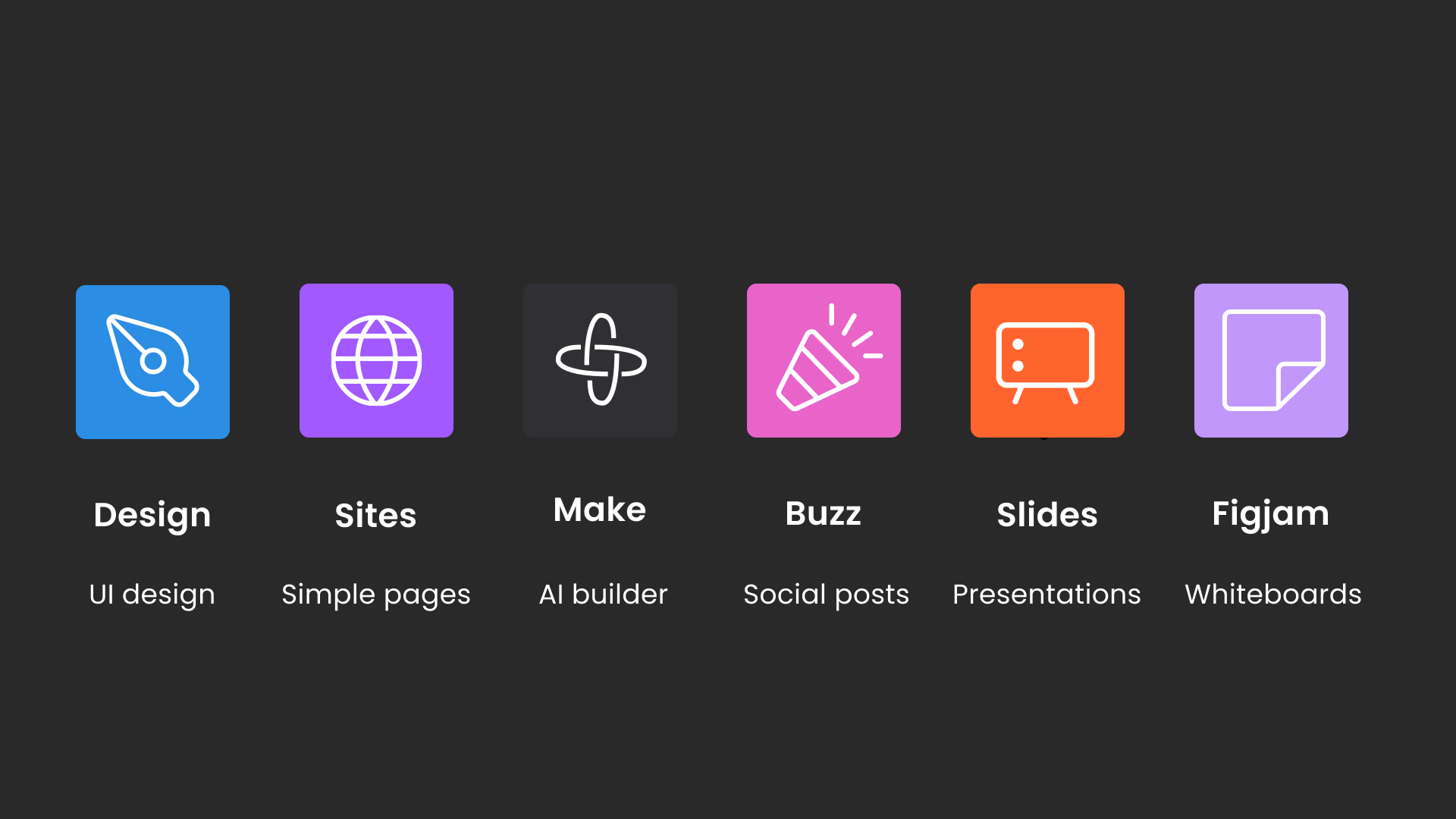
Here is a quick overview of when to use what:
Design → UI design (always!!!)
Sites → Simple websites (make sure to check out my course below!)
Make → AI builder (tutorials coming soon!)
Buzz → Social posts
Slides → Presentations (pretty easy, I just use Design and copy it over)
FigJam → Whiteboards
It looks like a menu, but it’s all the same ecosystem.
👉 Start with Figma Design. Learn the basics. Auto layout, components, variables etc. Once those click, the rest of the tools feel natural, not overwhelming. Everything else builds on that foundation.
Stop naming your Figma styles after HTML tags.
Stop naming your Figma text styles H1 / H2 / H3. It works early on, but breaks once your product grows, marketing jumps in, and accessibility matters. Designers start overriding styles, developers guess semantics, and consistency erodes.
The mistake: treating visual styles and HTML semantics as the same thing.
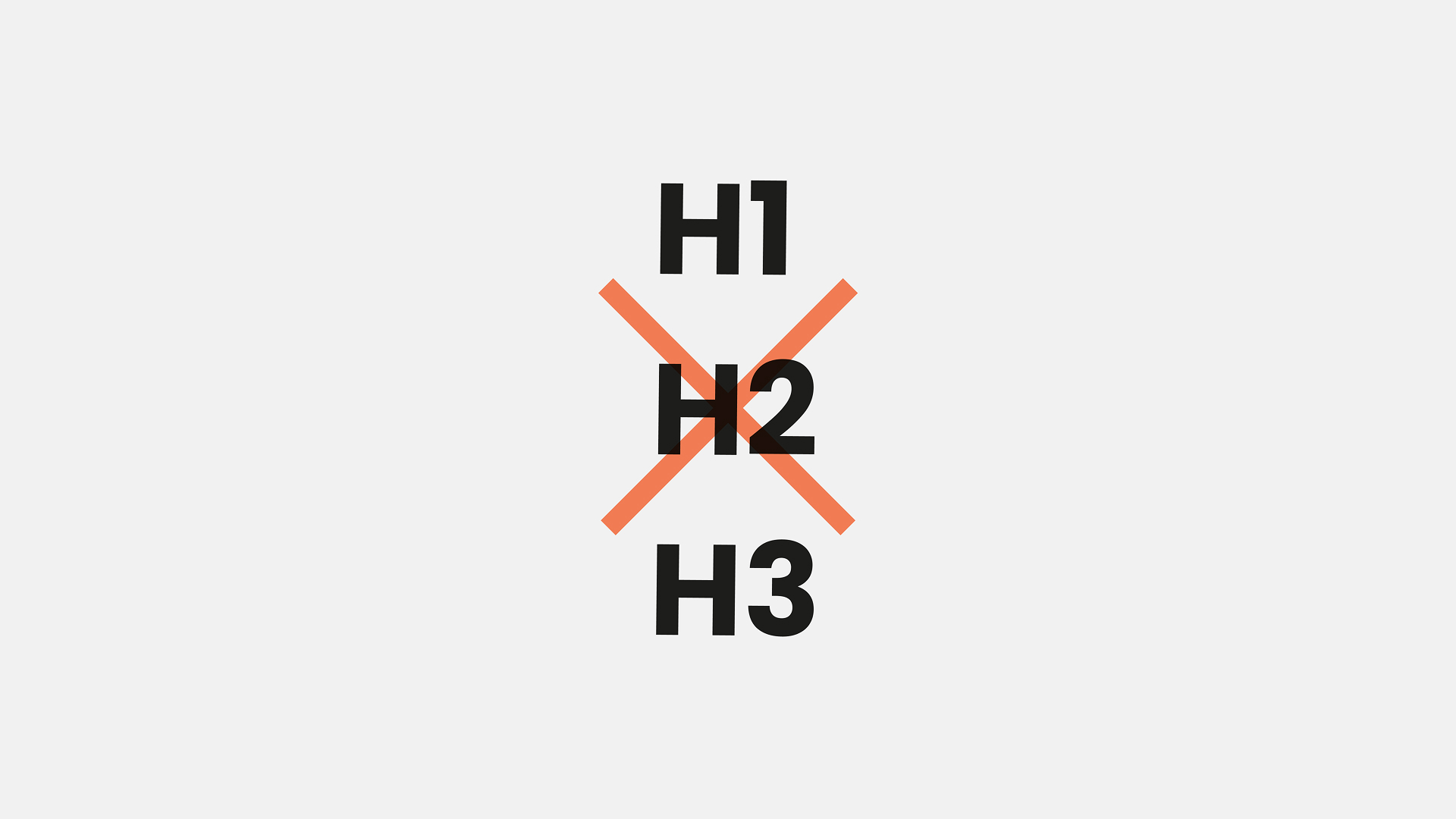
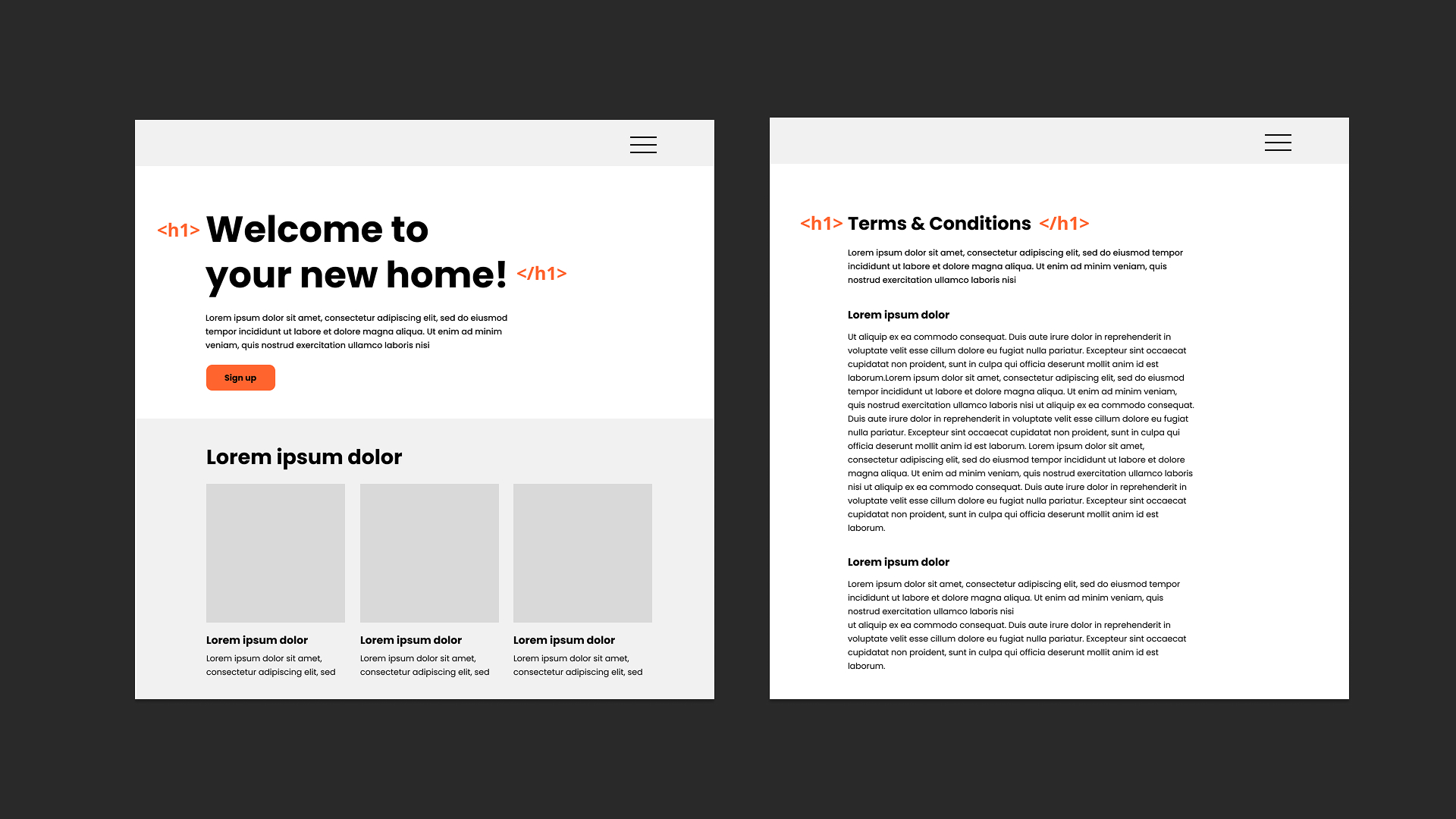
Headings in code communicate hierarchy. Visual styles communicate tone and scale, and the biggest text in the UI isn’t always the semantic H1.
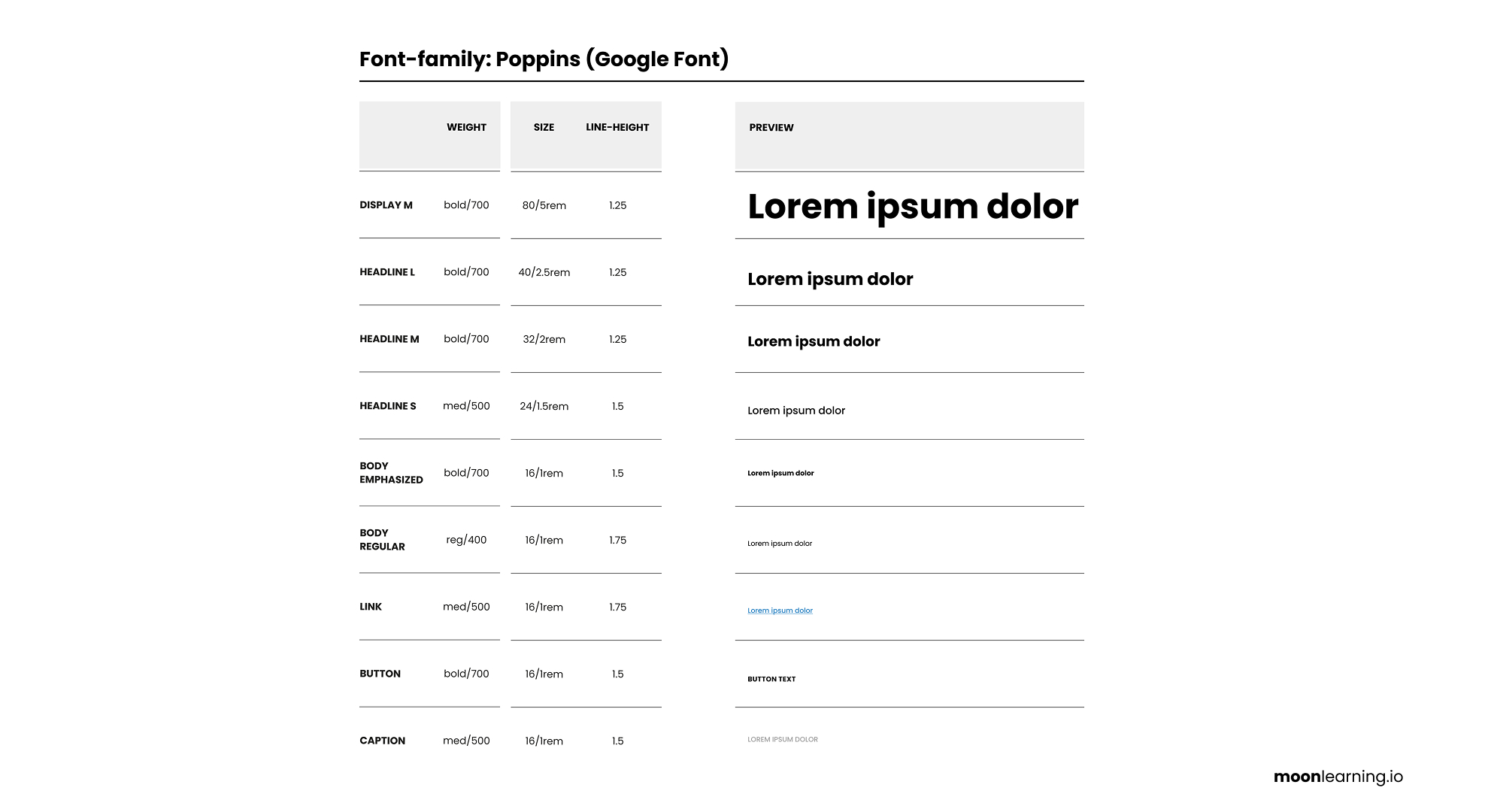
A better approach: name styles by visual purpose, not HTML tags. Think Display, Heading, Body, Caption, Label with sizes like XL, L, M, S.
Designers design visually. Developers apply the correct semantic tag. Everyone wins.
Keep semantics and styling separate and your system stays scalable and consistent.
Free Figma Library tutorial
Out of all the videos I’ve made, my short 6-minute tutorial on Figma libraries keeps outperforming on YouTube. It’s simple, practical, and straight to the point. Just: How to set up a library properly and avoid the usual chaos. Check it out for free:
|

Primitives and semantics
When using variables in Figma, get clear on the difference between primitives and semantic variables. They are two layers with two separate jobs.
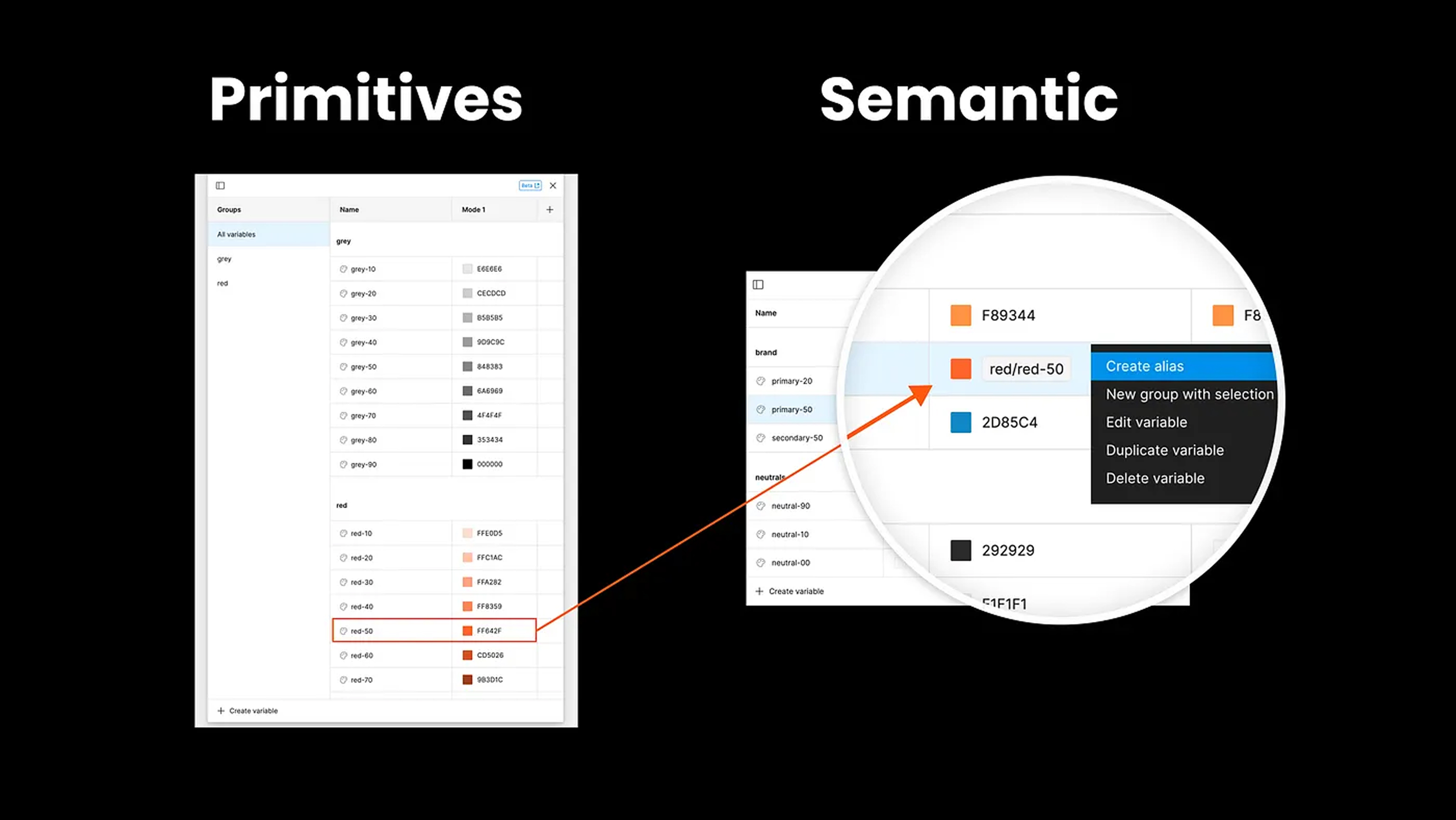
Primitives are the raw values: colours, spacing, radius, and sizes. They’re neutral. They don’t explain where they’re used, but they stay consistent and reusable. Change a primitive and every linked instance updates.
Semantic variables add meaning. Instead of picking Green 500, you pick Color / Text / Positive. The system maps the style to the right primitive behind the scenes.
This separation removes guesswork. Designers think in intention. Developers get predictable tokens. Updates ripple cleanly across themes, modes, and components.
In short:
Primitives = the value
Semantics = the meaning
Use both, and your system stays scalable, consistent, and easy to change
🚨 Last call to join the live online Figma Masterclass 🚨
If you already know the basics but want to design responsively, build scalable components, work faster, and finally understand variables, auto layout, dev mode, and proper handoff, this one's for you.
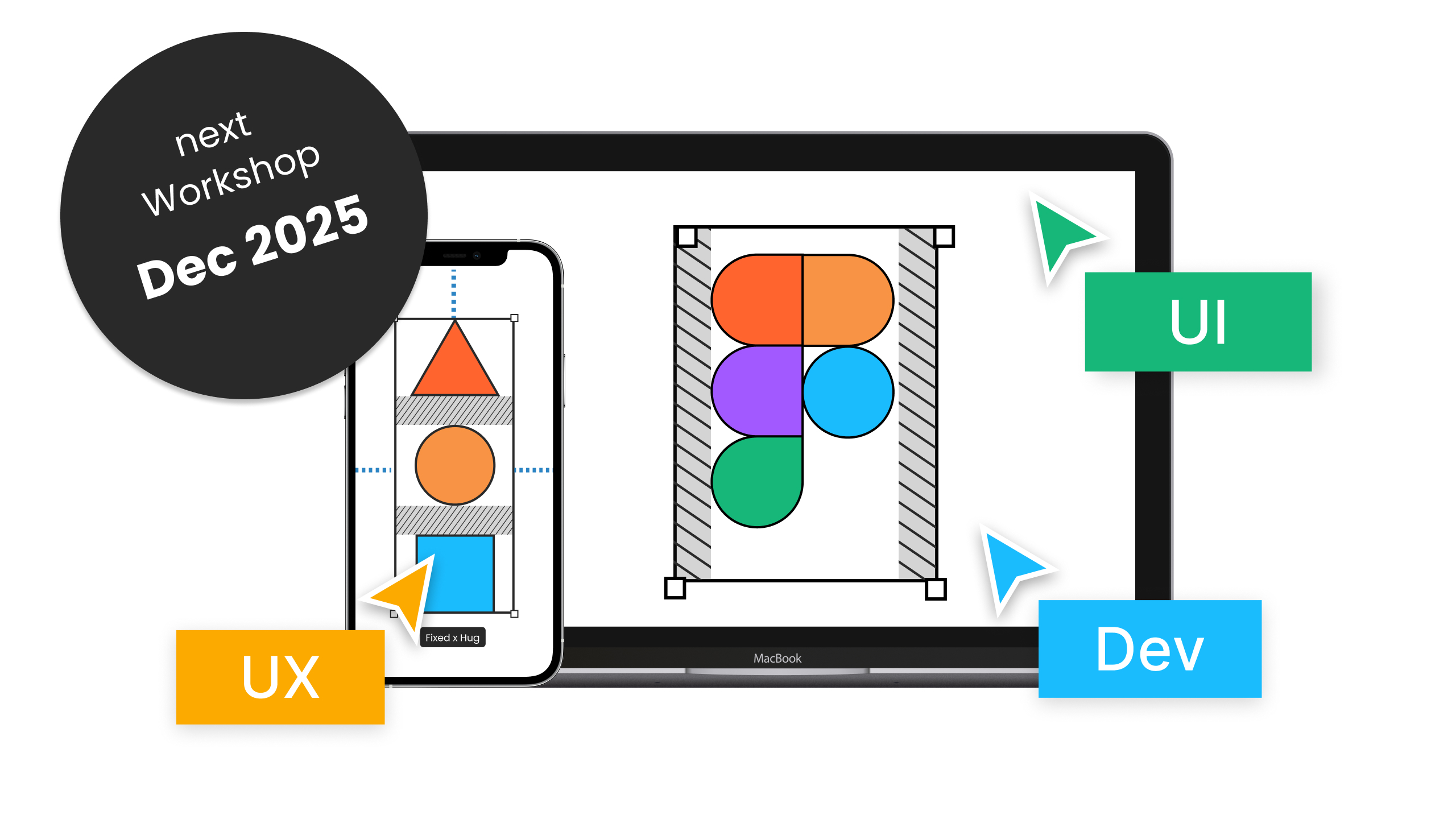
We’ll cover:
-
Components, variants, and properties
-
Variables and modes
-
Responsive design with auto layout
-
Logic-based prototyping
-
Dev mode and smoother collaboration
Good fit if you're transitioning into product design, coming from Sketch/XD, or you're a dev who wants clearer design-to-code workflows.
Schedule:
5 live sessions · 2.5h each + Q&A
Dec 10–16, 2025
09:00–11:30 PT / 18:00–20:30 CET
Miss a session? Recordings and materials are included — and you keep them forever.
Moonlearning news:
Upcoming Talks & Workshops
I love to combine these trips with guest lectures, exploring new projects, or simply exchanging thoughts over coffee. So, please reach out if you’d like to connect in person.
Figma Masterclass by Smashing Conferences, December 2025
Figma Masterclass – Online 🖥️
Smashing Conference, April 2026
Conference Talk – Amsterdam, Netherlands 🇳🇱
See all workshops and events -->
Want to learn more about Figma, UI and Building?
Get a moonlearning.io membership today and access all courses, from beginner to pro, covering Figma, UI and UX principles, and how to not only design but also build your own websites and products.

Responses