
3 min read
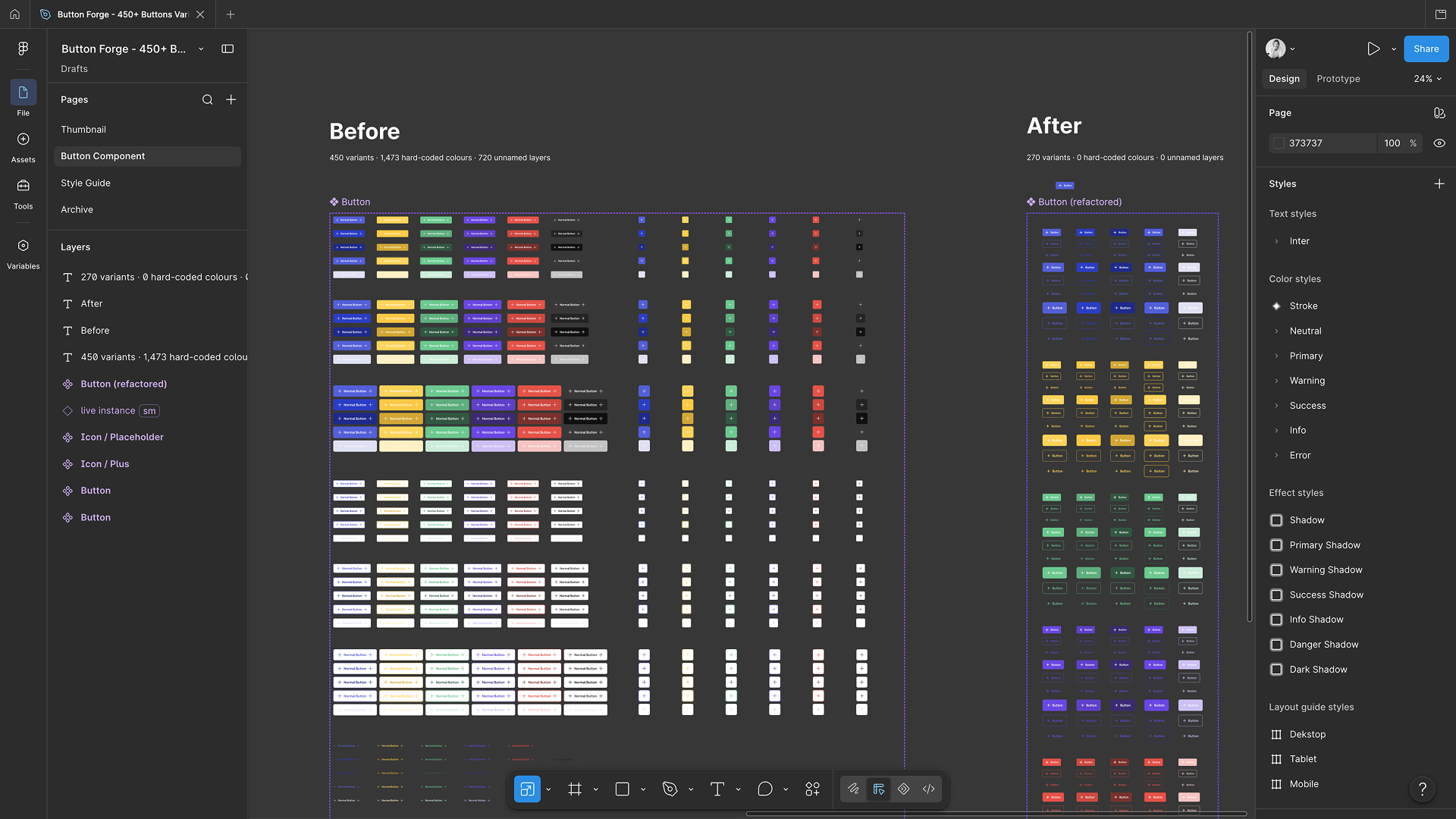
I opened a Button component I had been reusing for years and asked an agent what was inside it. 450 variants. 2,161 layers. For one button. My first instinct was to cut the number down, and I got it to 45. Then I looked at what was actually broken in there, and the variant count was not it.
Coming up
Design Figma Files That Scale with AI FREE
Online, 10 September 2026, 30 min · Sign up now
Figma MCP Masterclass, with SmashingConf
Online, 14 September 2026, 4 hours live plus Q&A · Sign up now
From Team to System: Figma and AI Workflows FREE
Online, 17 September 2026, 30 min · Sign up now
Design with Figma, Claude and MCP: An Honest Introduction FREE
Online, 29 September 2026, 30 min · Sign up now
Build Scalable UI in Figma, Designers Ready for Agentic AI
Online, 4-week hybrid course, starts 2 October 2026 · Sign up now
See all: Video courses · Live workshops · Team training
What was actually broken
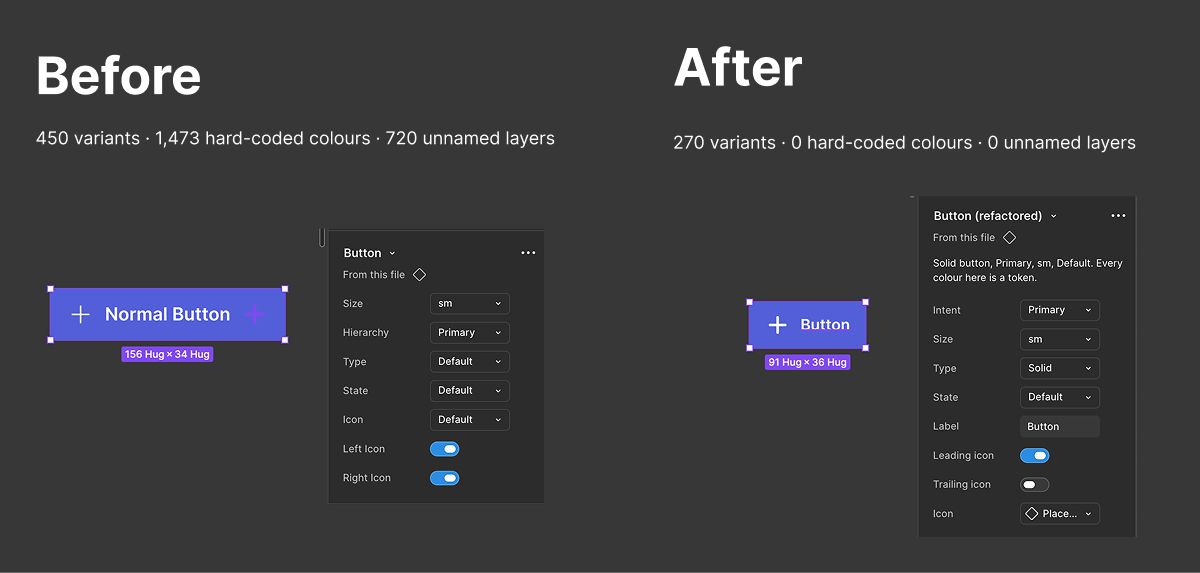
1,473 of the fills were raw hex values instead of tokens. 720 layers were still called Vector or Frame. 720 icons were pasted shapes rather than instances. And no impossible combination was written down anywhere, even though a disabled button can never also be hovered.
I rebuilt it. 270 variants instead of 450, and exactly the same number of layers as before. Nothing about the shape of that component was wrong. Everything inside it was.
What that actually costs
"The file is messy" funds nothing, so here is the bill. Placing that button loads all 450 variants behind it whether you look at them or not, which is why files crawl while everyone swears they did nothing wrong. A rebrand or a dark mode against 1,473 hard-coded values is not a token update, it is a hunt, and you will miss some. And an agent reading the file swallows all 2,161 layers for one button.
The awkward part
270 is still a lot, and the rest of the weight is not structural. Six intents: primary, warning, success, info, danger and dark. A yellow warning button and a green success button are strange objects when you look at them properly, because a warning is usually a message with an ordinary button next to it.
I left all six in, since that is how the component is used right now and a refactor is not the moment to start redesigning. But nobody ever asked whether they earn their place, and that question would take more off the count than anything I did. Same for the rest. Is Link a button, or is it a link. Is Pressed actually drawn differently from Hover in your product, or did it get built because the row was there.
6 × 3 × 3 × 5 gets you 270. 4 × 3 × 2 × 5 gets you 120. None of that is a Figma skill. It is a decision about what your product offers, and no refactor can make it for you.
If you have an old component sitting in your file
Bind every colour to a variable. If you change one thing this week, make it that one. Name every layer that means something, because Frame 247 tells a developer nothing and an agent less. Put icons in as instances you can swap.
And do not rebuild from scratch. Fix your most-used component, then the next one. Do not skip the awkward question either, ask which options earn their place before you tidy the ones that do not.
The number is the part that fits in a screenshot. The 1,473 hex values are the part that costs you a rebrand.
Join the Free Session: Figma Files that Scale
Actionable Figma and AI training for designers, individuals and teams.
Most designs break between idea and build. I teach the thinking, the tools, and the technicalities beneath the surface, plus which AI workflows earn their place. Figma Handoff to AI Agents (1.5 hours) goes through exactly this at your own pace.
See all video courses -->
See all live workshops -->
Team training -->

Video courses · Live workshops · Team training
The Solo, my book · LinkedIn · Past issues
You are getting this because you signed up at moonlearning.io.

Responses