
Wait, wait, wait. Start from the beginning. What is Lovable?
Vibe-coding with Lovable is simple: you build by talking. You describe what you want, it designs and writes the code, you hit publish, and it’s live. No tech background, no setup pain. Databases, Stripe, the heavy stuff is already wired. You shape the product through conversation.
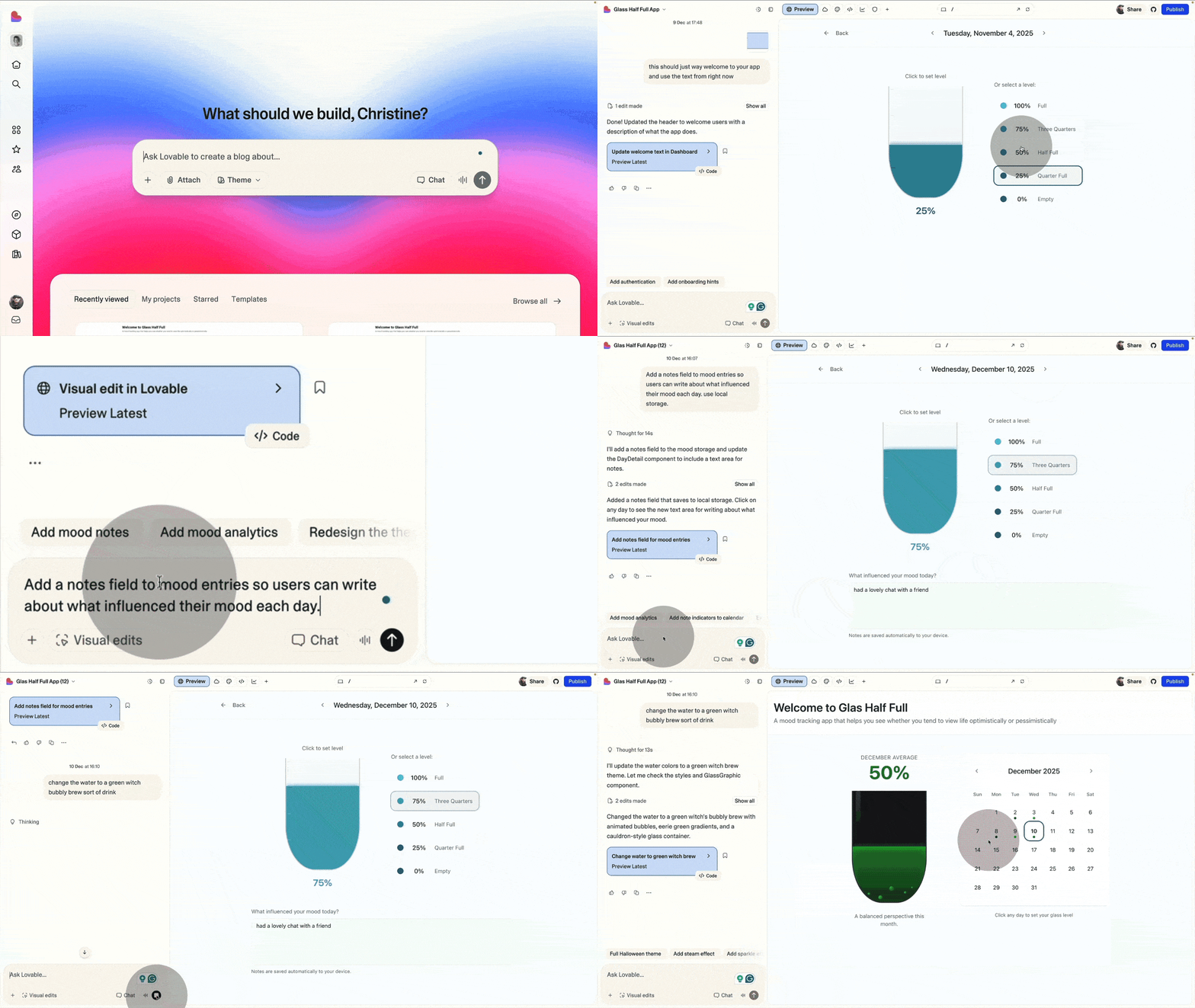
There’s a learning curve, but it’s light. You learn to prompt clearly and think in flows, not pixels. Designers will feel the loss of total control. You won’t get perfect fidelity, and that’s the trade. The upside is speed.
It’s frustrating at first, then weirdly addictive. You see gaps instantly, fix them, explore new paths without ceremony. There’s a chat mode to think things through before the agent builds. Loops happen. Part of the ride. If you care about shipping without a technical background, this is gold.
My full Lovable course is coming soon, so stay posted!
A very Lovable infrastructure
Like most people, I started with prompt and pray. That works for about five minutes. Then the frustration hits. The unlock is understanding the small universe under the hood. It’s deeper than it looks, and once you see what’s already built in, your ideas stretch fast.
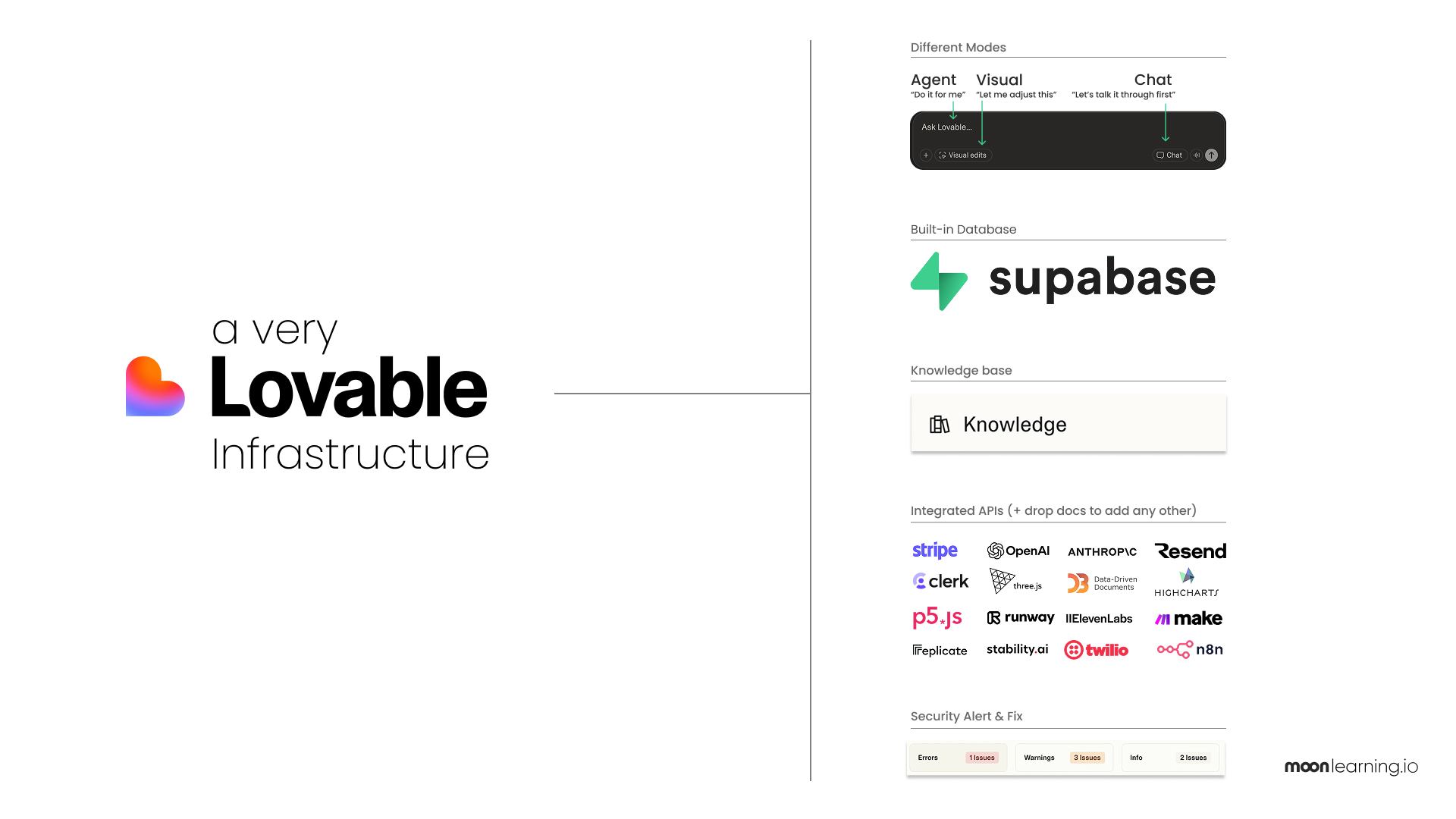
Quick tour:
Different modes for different things
Agent gets things done. Costs credits.
Chat is for thinking out loud. Fewer credits.
Code is full control. No credits.
Visual Edit lets you tweak things on screen. No credits.
Built-in database
Lovable ships with Supabase out of the box. No setup. Say “add user login” and it builds the tables for you. Pro move: describe your basic structure early so auth, payments, and users are ready when you need them.
Custom knowledge
Drop your rules and context once. Lovable remembers. Your app stays consistent without repeating yourself.
Integrated APIs
Payments, AI, email, auth, charts, 3D, automation. Already wired. Ask for one and build. Need something else? Paste the docs and it hooks it up.
Security
Before publishing, Lovable runs a health check. Exposed keys, risky logic, weird pages. All flagged with fixes.
It’s not perfectly smooth. These tools are young and a little chaotic. But once you find your rhythm, the speed and freedom are worth every bump. Tech background or not, this door is open. Jump in.
I want to learn it all!
No worries, my new course on Lovable is in the works and hopefully out before Christmas, if not early January. There will be a small price change once the builder track launches in January. All existing students will get it included in their current membership, and prices won’t change for them. So grab it while you can.
And I’ll also be running a free online session on Lovable with the lovely Smashing Conferences the 20th of January 2026. Places are limited!
Moonlearning news:
Upcoming Talks & Workshops
I love to combine these trips with guest lectures, exploring new projects, or simply exchanging thoughts over coffee. So, please reach out if you’d like to connect in person.
Building with AI for everyone. An introduction to Lovable. FREE
Sign up here for free – Online, Jan 20th 2026 🖥️
Smashing Conference, April 2026
Conference Talk – Amsterdam, Netherlands 🇳🇱
See all workshops and events -->
Want to learn more about Figma, UI and Building?
Get a moonlearning.io membership today and access all courses, from beginner to pro, covering Figma, UI and UX principles, and how to not only design but also build your own websites and products. 

Responses