
This week I got mildly obsessed with A2UI and radically adaptive UI. I struggle with how generic so much AI output looks, so I love the path I keep seeing in agentic design systems: the AI does not create from scratch, it assembles from solid, coded elements a designer built first. Still early days, still mostly demos and enterprise, but the logic makes a lot of sense to me. So let's dig in to be part of this as designers:
A2UI, radically adaptive UI, what? Let's demystify
Quick note first: this is just the outtake. I wrote a very detailed article about all of this, free here. Here is the short version:
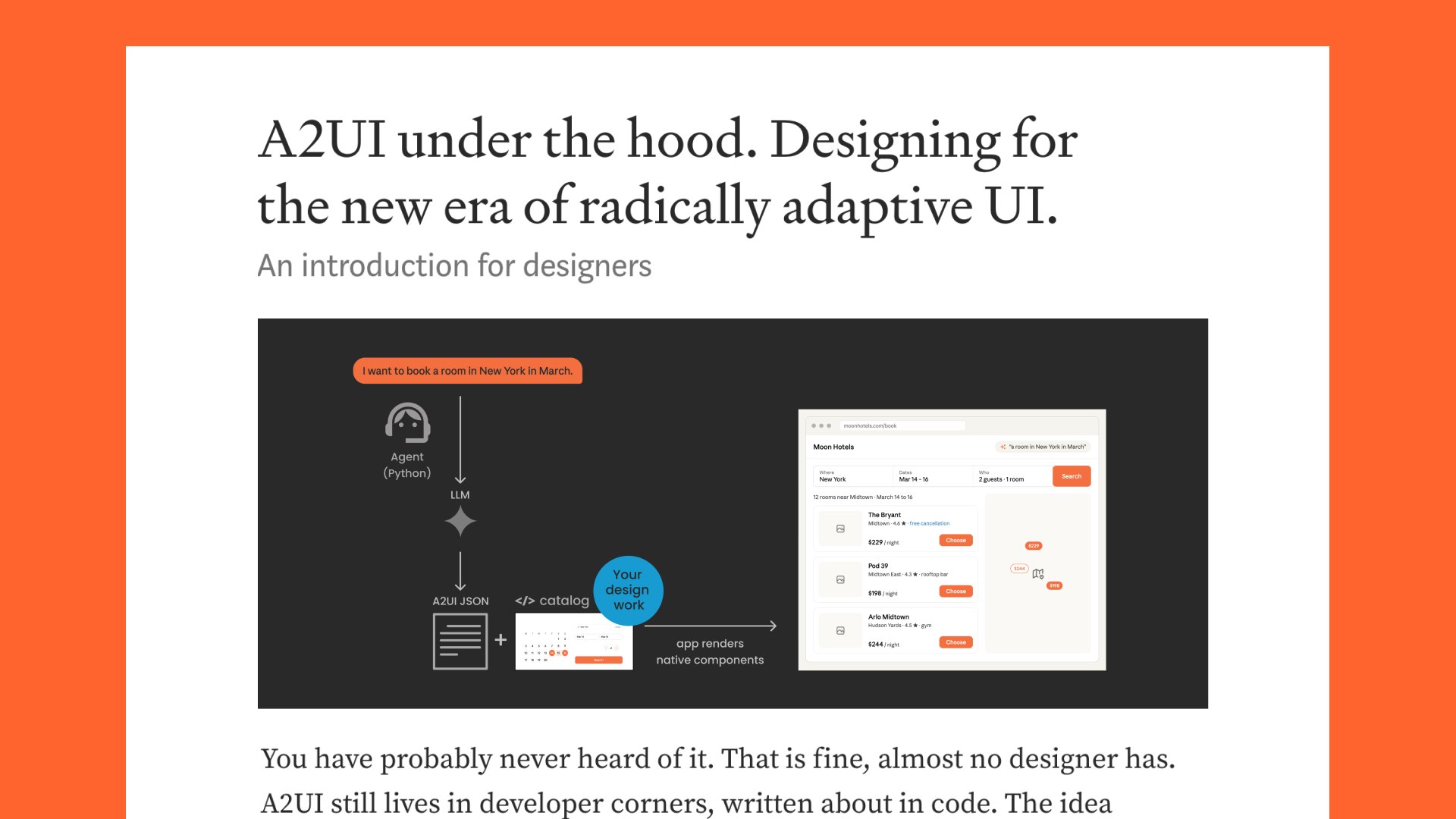
There is one big idea hiding behind all those acronyms. Instead of one fixed screen built for everyone, the interface gets put together on the fly, for the exact person and the exact moment. That idea goes by a few names: generative UI, radically adaptive UI. A2UI is one concrete version of it, an open protocol from Google. So whenever I say A2UI, just think of it as one example of this bigger shift, the one I am using to make it tangible.
You have probably never heard of any of it. That is fine, almost no designer has. It still lives in developer corners, written about in code. The idea underneath is worth meeting early, though, because it changes what we do.
If you work anywhere near UI, design systems, UX or front-end development, this one is for you.
Think about how we design today.
One screen, or one flow, aimed at an imagined researched user. Everyone who arrives gets more or less the same thing, and we hope it fits.
Now picture that flipping.
The interface is built fresh in the moment, for the exact person and the exact thing they asked for.
I do not open my banking app and hunt through menus and dashboards built for everyone. I ask where my money went this month, and I get back just that: a simple chart by category, with the one surprise expense already flagged. You ask, the screen you need appears, then makes way for the next one.
This is a new approach, generative UI or radically adaptive UI. It is early. The spec is young, most of what exists is still demos, and there is no solid pipeline from design to code yet. But it is already running in a few real products, and it is moving fast enough to be worth your attention, especially as a designer.
So how does an AI build a real interface without spitting out generic junk? It does not get to invent anything. It can only build from something called a catalog: a set of components a designer made first, the menu it is allowed to order from. Your buttons, your date picker, your cards, in clean code, with the states and the edge cases handled.
If it is not in the catalog, it cannot appear.
And that is the part that should make every designer sit up.
The screen is only ever as good as the catalog it is built from. So the careful work that always felt like a tax, the naming, the states, the tokens, stops being invisible and becomes the engine. Every screen a user sees is set by what a designer puts in the catalog, not by a developer interpreting a mockup later. That is more control over the final result than we have ever really had.
It only works if there is something worth assembling in the first place. Making sure of that is the job.
I wrote the whole thing for designers. No code required, just the parts that are ours, and, as always, written with a lot of love.
Understand the tech underneath, and the design on top can hold its promise.
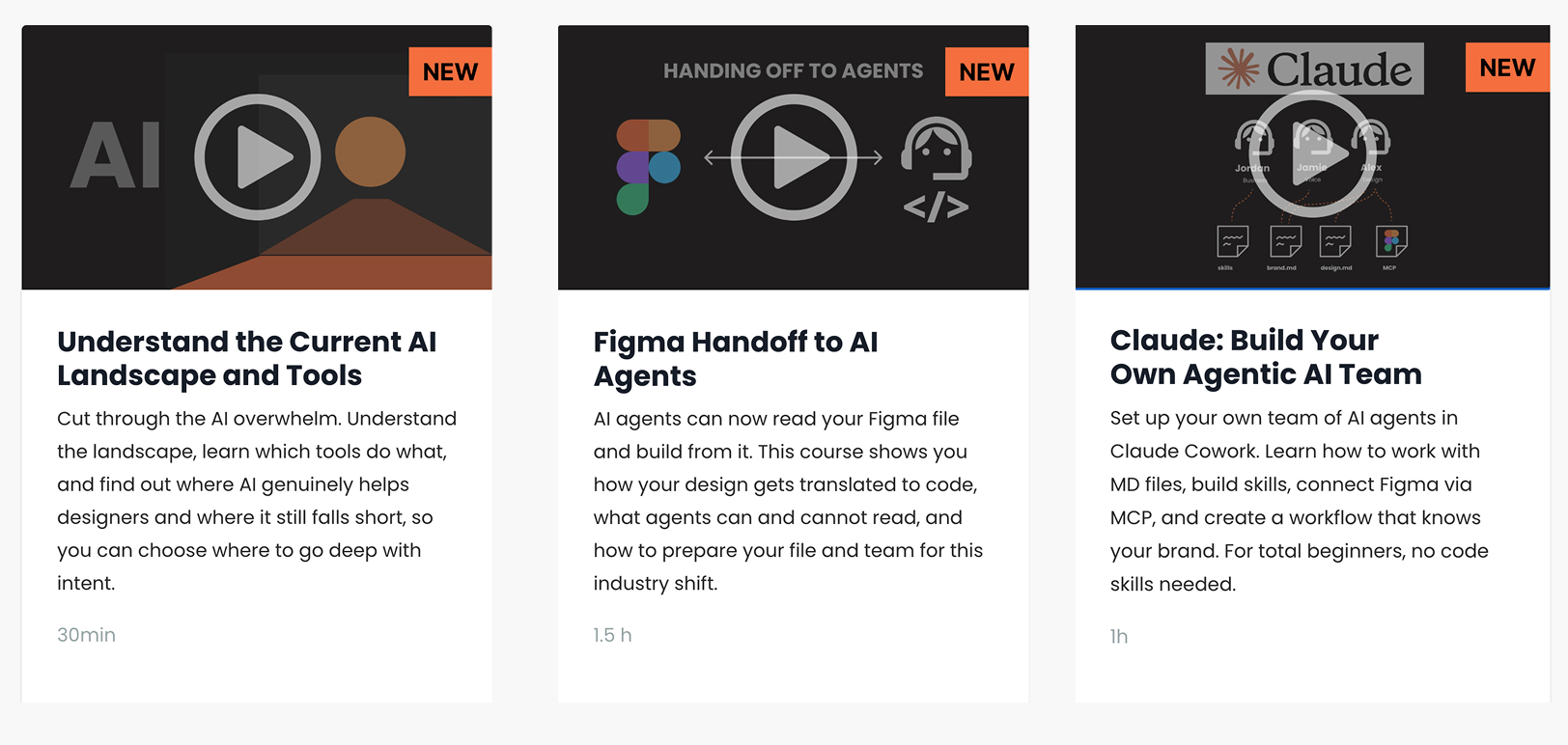
Three new on-demand video courses:
All part of the current moonlearning membership.
Start learning now (on-demand video)
Moonlearning upcoming:
Config FoF Education Panel, 24th of June 2026 NEW
What Are You Making with AI? – San Francisco, US 🇺🇸
What is new at Config? FREE
FREE session – 30 min online, July 2, 2026 💻
From Figma to Agents: A Complete Intro for Designers
1-day upskilling workshop – online 💻
Build Scalable UI in Figma — Designers Ready for Agentic AI
4 weeks hybrid workshop (part-time) – online 💻
See all workshops -->
See all video courses -->
See all free events -->
Want to learn more about Figma, UI and Building?
Get a moonlearning.io membership today and access all courses, from beginner to pro, covering Figma, UI and UX principles, and how to not only design but also build your own websites and products.
This newsletter reaches designers who build modern products using Figma and AI tools. If you'd like to sponsor an issue, just reply to this email.

Responses